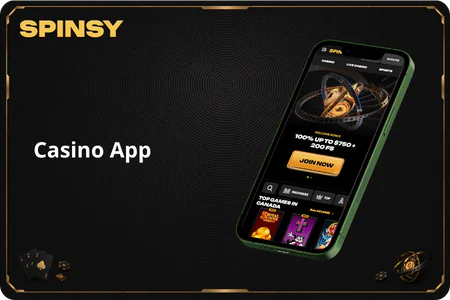
For Canadian adults who prefer using a phone, the practical question is often how smoothly an online casino site works in a mobile browser rather than whether it offers the largest catalogue. The spinsy casino promo code information can be checked alongside the mobile experience, but promotional details should never be treated as a substitute for reading current terms. A responsive site, sensible security habits and careful handling of bonuses all matter when browsing on Android or iOS.
What can you do from a mobile browser?
The Canada-facing site is designed to work through a responsive mobile website, so a separate application is not required. From a phone browser, users can reach the casino lobby, live casino, sportsbook, promotions, challenges, rewards shop and account controls. The same mobile setup also provides access to cashier functions and account information, although the exact options displayed can depend on the account, region and current site configuration.
The casino lobby is structured around search and filters rather than requiring users to scroll through one long catalogue. Categories include popular and new titles, slots, table games, jackpots, instant games and live games. Provider filters can also narrow the selection. This is particularly useful on a smaller screen, where opening a few relevant categories is generally more practical than loading and scanning thousands of individual tiles.
Many listed casino titles support demo play, which can help with basic navigation before committing funds. However, a short demonstration does not establish likely winnings, volatility or long-term results. Treat it as a way to understand controls and presentation only. Live casino and sports sections may require more scrolling because they contain changing events, markets or tables, making a stable connection and a clear browser layout more important than decorative features.
How do you create a phone-friendly shortcut?
A mobile shortcut can make a browser-based service feel easier to reach without installing a native application. The site provides a Create Shortcut option. On Android, the usual route is to choose “Add to Home screen” from the browser menu. On iOS, the shortcut is created through the Share menu and then added to the Home Screen. The wording can vary slightly by browser version.
This shortcut does not create a separate casino app. It opens the mobile web account in the browser and uses the same balance and account environment. That distinction matters because users should not assume that a shortcut provides offline access, independent security settings or a different support channel. If the browser is cleared, the phone is replaced or an account session expires, the normal sign-in and recovery process may still be required.
Before adding the shortcut, check that the address shown in the browser is correct and that the connection is secure. Avoid creating shortcuts from adverts, forwarded messages or unfamiliar pages. A useful routine is to open the official mobile site manually once, confirm the page identity, and then save the shortcut. Keep the phone’s operating system and browser updated, and remove shortcuts that no longer lead to a page you recognise.
Which mobile habits reduce account risk?
Convenience can encourage people to use public Wi-Fi, shared devices or saved passwords without considering who else may access the phone. A personal, password-protected connection is preferable for account activity. Screen locking, biometric protection and automatic software updates add useful layers, but they do not replace a strong, unique password. Never disclose a password or one-time security code through an unsolicited message.
Use care when reviewing promotional messages on a small screen. A code-based campaign may have an activation period, qualifying deposit, wagering condition, game restriction or separate withdrawal requirement. The current welcome package and other offers can change, and older descriptions may no longer apply. Read the terms shown in the account’s bonus area before selecting an offer, especially if the registration screen presents both a standard package and a separate promo-code option.
For broader phone and online-safety guidance, the Canadian Centre for Cyber Security provides public information on protecting accounts and devices. That general advice does not confirm any casino-specific feature or promotion, but it supports sensible habits such as using updates, protecting credentials and recognising suspicious links. If a sign-in page behaves unexpectedly, stop, close it and verify the address rather than repeatedly entering account details.
When is mobile browsing less suitable?
A phone is convenient for checking a balance, reviewing an offer or browsing categories, but it may be less comfortable for extended sessions. Small text, limited screen space and frequent notifications can make it harder to inspect terms or track decisions. Live tables, sports markets and games with numerous controls may also feel crowded. A larger screen can be preferable when comparing information or reading lengthy bonus conditions.
Connection quality is another limitation. Mobile data can fluctuate while travelling, and public networks may be congested. A dropped connection can interrupt a page load or leave a user uncertain about whether an action was completed. Avoid repeatedly submitting a request when the screen is still processing. Instead, check the account history or support area once the connection is stable, and keep records of important confirmations where appropriate.
Mobile access also does not remove account checks. Registration information may include identity, address and contact details, while additional verification can be requested for security, payment ownership or source-of-funds reviews. A phone camera may help provide documents, but images should be clear and submitted only through the recognised account or support process. Do not send identity documents to an unknown address simply because a message claims that urgent action is required.
How should you assess a mobile promotion?
Begin with the offer’s status rather than its headline. Check whether it is available to the account, whether activation is required and whether a code must be entered. The Canadian registration flow describes a choice between a casino welcome package, a sports offer, a promo-code option or no welcome bonus. This means a code should not be assumed to be necessary for every promotion, and selecting one offer may affect access to another.
Next, identify the conditions that affect real use. Look for the qualifying deposit, eligible games or markets, wagering multiplier, expiry period, maximum stake and any restrictions on withdrawing associated funds. The available material notes that published details can change and that current terms should be checked in the My Bonuses area. Do not rely on an old promotional description, a search result or a message copied from another player.
Finally, decide whether the offer is worth the additional complexity. A bonus with a high headline value may involve more steps, a short completion period or limits on how funds can be used. If the terms are unclear, ask support before activating it and keep the response. Set a personal spending and time limit separately from the promotion. A discount or bonus should not influence you to deposit more than planned, and it should never be viewed as guaranteed value or income.
Frequently asked questions about mobile browsing
Is a native mobile app required?
No. The service is described as operating through a responsive mobile website on Android and iOS. A Home Screen shortcut can be added from the browser, but it opens the mobile web account rather than creating a separate native application. Keep the browser updated and confirm the address before signing in.
Can promotions be checked on a phone?
Yes. The mobile experience includes promotions and account areas where active offers can be reviewed. Availability, activation rules and detailed conditions can change, so read the current terms shown in the account before selecting a bonus. Do not assume that an older code or public description remains valid.
What should I do if mobile access stops working?
First check the connection, browser updates and whether the page address is correct. Avoid repeated submissions while a transaction or account action is processing. If the issue continues, use the recognised support route and be prepared to verify your identity. Never share passwords or sensitive documents with an unsolicited contact.